Apache SSL 인증서 등록
ssl_module 설치
dnf -y install mod_ssl- 인증서 구매 후 PrivatKey.pem / Private.key 설정 및 해쉬 값 확인
- 해당 작업은 생략
- ssl.conf 수정
<VirtualHost *:443>
ServerName ssunmini.com
ServerAlias www.ssunmini.com
DocumentRoot "/var/www/html"
ErrorLog logs/ssl_error_log
CustomLog logs/ssl_access_log combined
#TransferLog logs/ssl_access_log
LogLevel debug
SSLEngine on
SSLHonorCipherOrder on
SSLCipherSuite PROFILE=SYSTEM
SSLProxyCipherSuite PROFILE=SYSTEM

        SSLCertificateFile /etc/httpd/all.crt.pem
        SSLCertificateKeyFile /etc/httpd/key.pem
        SSLCertificateChainFile /etc/httpd/Chain.crt.pem
        SSLCACertificateFile /etc/httpd/crt.pem
- 설정 파일 검사
httpd -t

apachectl -t- httpd 재실행
systemctl restart httpd- Apache http 설정 파일 관련된 정보 출력
httpd -S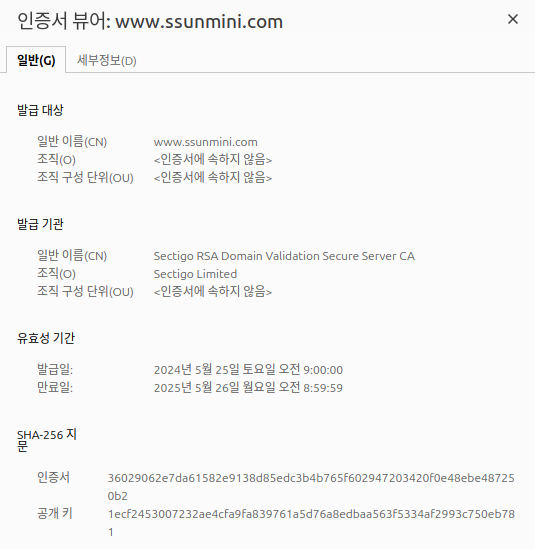
Nginx SSL 인증서 등록
- ssl 인증서 발급 진행
- 인증서 파일 위치
/etc/nginx/ssunmini.com/2024/- nginx 설정 파일 수정
/etc/nginx/ssunmini.conf# HTTP에서 HTTPS로 리디렉션 설정
server {
listen 80;
server_name ssunmini.com;
# HTTP 요청을 HTTPS로 리디렉션
return 301 https://$host$request_uri;
}
# HTTPS 설정
server {
listen 443 ssl;
server_name ssunmini.com;
# SSL 인증서 파일 경로
ssl_certificate /etc/nginx/ssl/2024/test.crt;
ssl_certificate_key /etc/nginx/ssl/2024/test;
# SSL 보안 설정
ssl_protocols TLSv1.2 TLSv1.3;
ssl_ciphers HIGH:!aNULL:!MD5;
ssl_prefer_server_ciphers on;
# HSTS 설정 (HTTPS로만 접근하도록 권장)
add_header Strict-Transport-Security "max-age=31536000; includeSubDomains" always;
# 일반적인 웹 사이트 설정
location / {
try_files $uri $uri/ =404;
}
# 기타 필요한 설정 추가
# 예시: proxy_pass, 파일 위치 설정 등
# location / {
# proxy_pass http://localhost:8000; # 사용 중인 애플리케이션 포트로 설정
# proxy_set_header Host $http_host;
# proxy_set_header X-Real-IP $remote_addr;
# proxy_set_header X-Forwarded-For $proxy_add_x_forwarded_for;
# proxy_set_header X-Forwarded-Proto $scheme;
# }
- 문법 확인
nginx -t- 서비스 재 기동
systemctl restart nginx